
Lightroom Classic · Maschine Mk3 · Windows
Your Maschine Mk3 is a Lightroom control surface.
Eight touch-sensitive knobs turn the Develop sliders. Live values and the current photo on the controller's own screens. Pads and buttons for ratings, flags, presets, masks and crops. The layout follows Lightroom's module and tool by itself. Direct USB, not MIDI.

Half a minute each
Watch it move
Nothing is loaded until you press play.
Signal path
How it works
two 480×272 screens
draws the screens,
maps everything
sliders, tools, ratings,
presets and masks
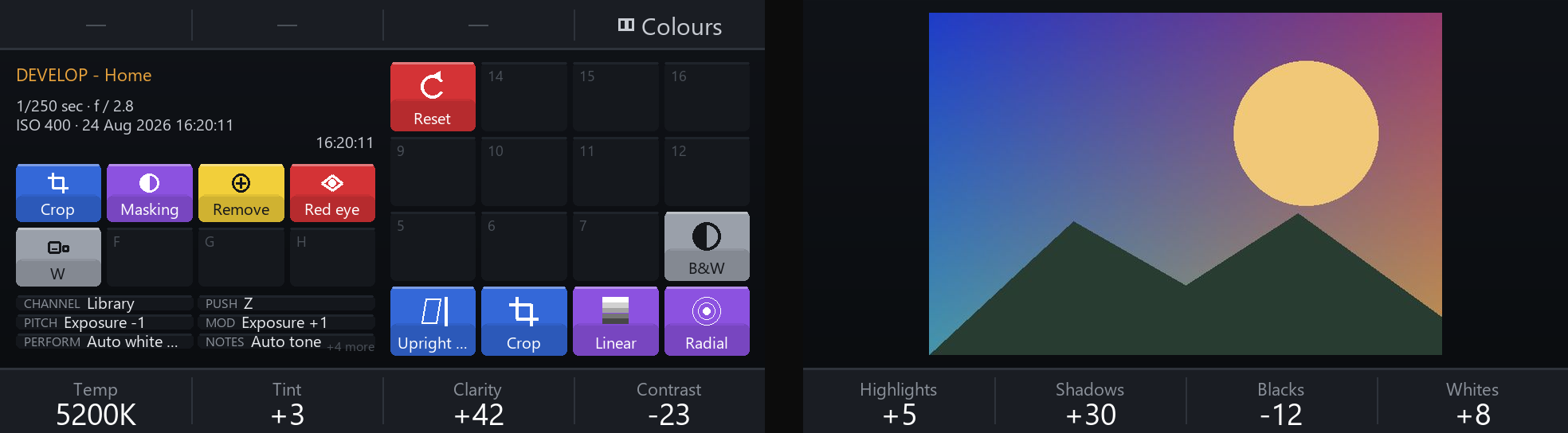
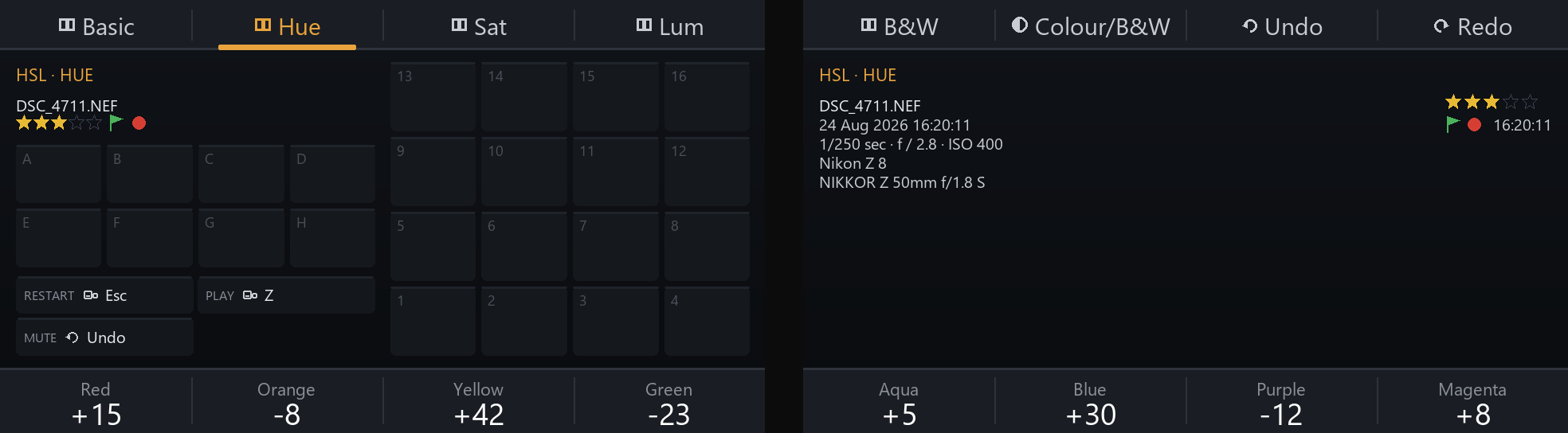
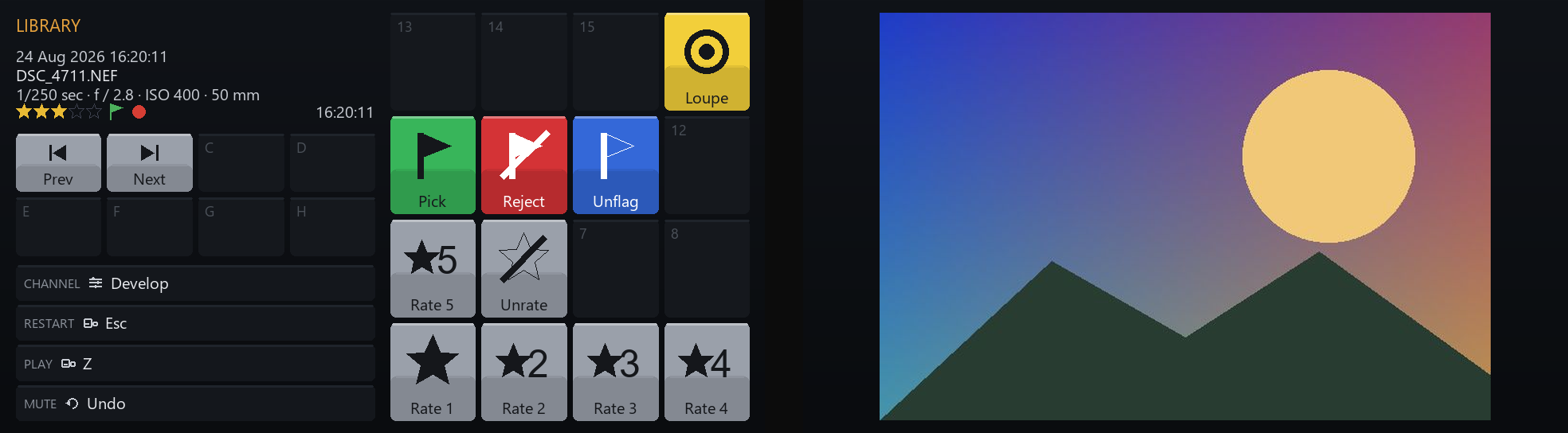
Maschine2LR speaks the Maschine Mk3's own USB protocol. It receives every knob turn, pad hit and button press directly, and it paints the two colour screens itself. So the screens can show Lightroom's values, the photo you're editing, the star rating, the list of masks, or a map of what every pad does.
On the Lightroom side, a small plugin written against Adobe's Lightroom Classic SDK carries the commands: set a slider, nudge it, select a tool, rate, flag, apply a preset, create a mask, crop to a ratio. It also reports back what Lightroom holds, so the screens show real values rather than guesses.
What you get
Built for the hardware you have, not for MIDI in general.
Knobs that feel like sliders
The Mk3's encoders report about a thousand steps per turn. A gentle turn is a fine move, a quick spin is a big one, and no acceleration is needed to get there.
Screens that label the hardware
Each screen shows the values under its four knobs, what the buttons above it do, the photo, the rating, flag and label, a clock if you want one. Or the masks on the photo, with the selected one highlighted.
Layouts that follow Lightroom
Profiles match a module and tool. Switch to Crop and the knobs become straighten and perspective; open Masking and the knobs edit the selected mask. Pages let one context hold several layouts: basic, hue, saturation, luminance, black & white mix.
Pads for the things you do a hundred times a day
Ratings, flags, colour labels, presets, a new radial or AI mask, crop to 16:9, Upright on or off, colour or black & white, +1 stop of exposure. Each pad lights in the colour you gave it.
A touch strip, three ways
Set a value by position, nudge it by movement, or scrub through the filmstrip. The strip's LEDs show the value and your finger.
Shift layer
Hold Shift and every button and pad can have a second meaning, with its own colour. The lights and the screen captions switch to the Shift layer while you hold it.
Why not MIDI
Why not just use the Maschine as a MIDI controller?
You can. Tools like MIDI2LR connect any MIDI controller to Lightroom, and they do that well. Maschine2LR exists because the Mk3 has a lot that a MIDI mapping doesn't reach: the screens, the encoder resolution, the touch on the knobs.
| Maschine as MIDI controller | Maschine2LR, direct USB | |
|---|---|---|
| Knob resolution | 128 steps per MIDI CC (7-bit), or relative ticks | the encoders' native ~1000 steps per turn |
| The screens | show whatever the MIDI template defines; nothing from Lightroom | drawn by Maschine2LR: values, photo, rating, masks, button map |
| Layouts per context | a MIDI mapping; switching layouts is up to you | profiles follow Lightroom's module and tool by themselves, with pages within a context |
| Feedback on the hardware | whatever the mapping app sends back as MIDI | pads and buttons show your colours, the strip shows the value, Shift and states (Upright, B&W) show on their buttons |
| Touch-sensitive knobs | not part of a normal MIDI mapping | a tap on a knob can reset its slider, or run any other action you choose |
| Setup | a Controller Editor template plus a MIDI mapping app | one program, one editor, no NI software running |
The trade-off, stated plainly: while the driver swap is in place, the Native Instruments software cannot use the controller. Switching back is a few clicks in Device Manager; the manual covers both directions.
The editor
Click the control, choose what it does.

Profiles are plain YAML files. The editor writes them for you, keeps your comments, checks every change before it's saved, and a running Maschine2LR picks up the change within half a second. Nothing to restart. Drag a binding from one pad to another to rearrange a layout, give each binding its own caption and icon for the screens, and switch a profile off without deleting it.
Every action the plugin can perform is offered by name: undo, redo, ratings, flags, colour labels, presets (from the list Lightroom reports; adaptive AI presets are the exception, since the SDK can't apply them), tools, masks by type, crop ratios, Upright, auto tone, auto white balance, colour or black & white, and steps like Exposure +1.
Requirements
What you need
- Adobe Lightroom Classic (the desktop application; not Lightroom cloud or mobile)
- Native Instruments Maschine Mk3, connected over USB
- Windows 10 or 11. A one-time driver swap with Zadig lets Maschine2LR talk to the controller directly; the manual walks you through it. There is no macOS version.
Questions
Asked before
- Does it use MIDI?
- No. Direct USB, which is where the resolution, the screens and the lights come from.
- Can I keep using the Maschine with Maschine 3 or Komplete Kontrol?
- Yes, just not at the same time. While the WinUSB driver is on the two interfaces, NI's software can't use the device. Reverting takes a few clicks in Device Manager, and the manual shows both directions.
- Which Lightroom versions?
- Lightroom Classic on Windows. The plugin uses Adobe's documented SDK, so features like masks and AI selections need a version that has them. Lightroom (cloud) and Lightroom mobile are not supported.
- Is there a Mac version?
- No. It's Windows only, and a macOS version isn't planned at the moment.
- Do I have to edit text files?
- No. The editor covers everything. The files stay readable if you like to look, and the editor keeps your comments.
Free, donationware
Get Maschine2LR
For Windows and Lightroom Classic. No key, no trial, no locked features. If it earns its place on your desk, a donation keeps it going.
Questions, ideas, a bug? svenbluege+m2lr@gmail.com